Updating your email and other account information is as easy as 1...2...3...save!
Please note that if you do not have an up-to-date email in your account, you risk losing access to your certificates.
Select "My account" in the top right corner.

Select "Edit" under "My Account" to update your email address.

Update your email address.
- Scroll down to your email address and update.
- Make sure to use an email address that is valid and accessible so you can receive your certificates.
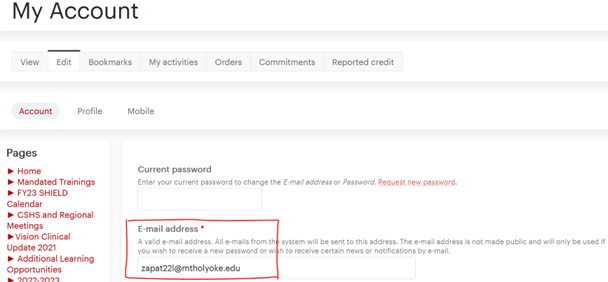
Note: To change other details in your account (e.g., address, profession, specialty, degrees and credentials), select "Profile" after selecting "Edit".

Make sure to select "Save" at the bottom of the page to confirm your changes every time you update your information.